Barcode Stock Management Software: How to Choose
Short answerBarcode stock management software keeps track of the goods a business holds by scanning a label each time something arrives, moves or leaves. Every scan updates the record straight away, so the count on screen matches the shelf far more closely than a typed spreadsheet usually does. It is used by warehouses, pharmacies, grocery stores and smaller shops that have outgrown counting by hand.
Key takeaways
- Barcode software updates the stock record with every scan as goods arrive, move or leave, so the count on screen stays close to what is on the shelf.
- The core features to look for are receiving records, low stock alerts at a reorder point you set, location tracking, and batch and expiry tracking for perishable or regulated goods.
- Pharmacies, grocery stores and warehouses set the same basic system up in different ways, from expiry reports in a pharmacy to bin locations and order picking in a warehouse.
- Before you buy, ask whether the system uses the barcodes already on your products, what hardware it works with, and how your data comes out if you leave, then run a short trial with your own products and staff.
How a barcode stock system works
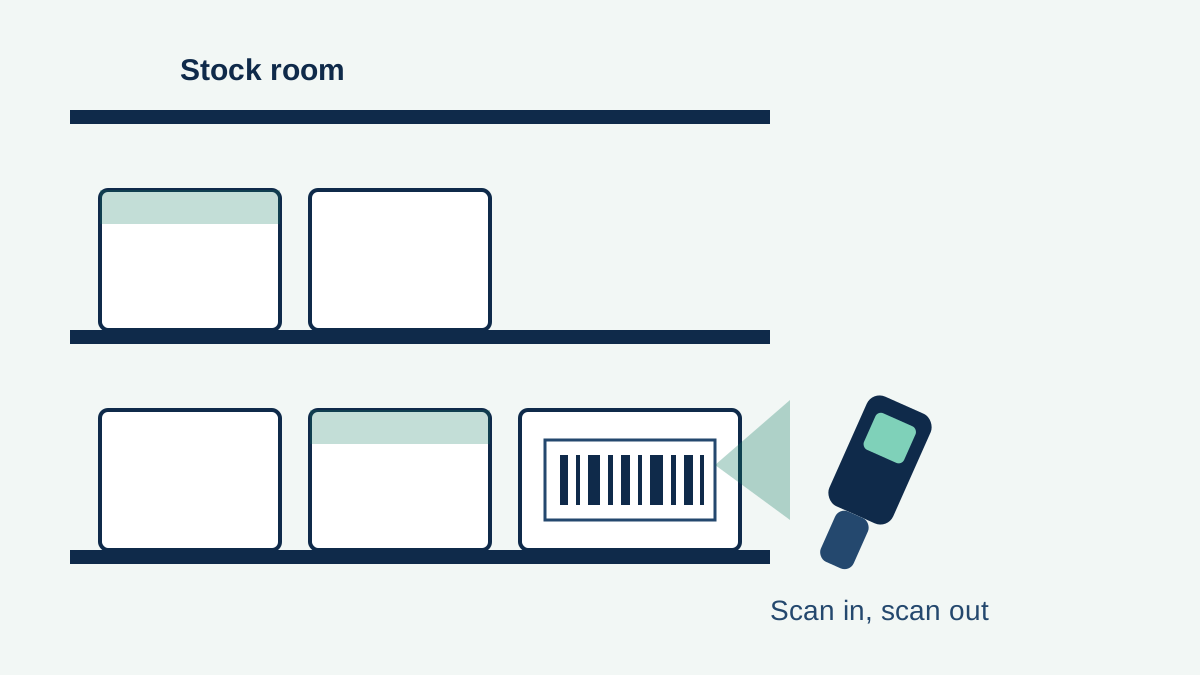
Each product, and sometimes each individual item, gets a label with a barcode that stands for a code in the system. That code links to the product record: its name, supplier, cost, storage location and how many are in stock. Staff scan the label with a handheld scanner, a phone or a fixed till scanner, and choose what the scan means, such as goods received, item sold, item moved or item written off.
The value is in the routine, not the label itself. A scan takes a second and asks for no typing, so recording stock movements becomes part of the job rather than a separate task saved for the end of the week. Counts stay current, and the system can show who handled what and when, which makes errors and shrinkage easier to trace.
The core features to look for
Products differ, but the useful core is similar across most systems. Receiving and putaway records goods as they arrive and where they were stored. Stock levels update with every scan, and low stock alerts flag items that reach a reorder point the business sets itself. Location tracking matters once there is more than one shelf, room or site, because knowing you own something is of little use if nobody can find it.
Beyond that, most businesses need batch and expiry date tracking if they handle anything perishable or regulated, a clear audit history of every adjustment, and reports on what sells, what sits and what was wasted. Integration also matters: many systems connect to tills, online shops and accounting software so a sale in one place reduces stock in the other.
How different businesses use it
The same basic system is set up quite differently depending on what is being counted.
Pharmacies
A pharmacy tracks medicines by batch and expiry date, and some items need a record of every movement. Barcode scanning at receiving and at the counter keeps those records as a byproduct of normal work, and expiry reports help staff pull stock before it goes out of date rather than finding it on the shelf.
Grocery stores
Grocery stock turns over quickly and much of it is perishable. Scanning deliveries in and sales out gives a running count for reordering, and date checks support rotation, so older stock is sold first. The main gain is fewer gaps on shelves and less food written off because it expired in a back room.
Warehouses
In a warehouse the problem is scale and location. Items are scanned into a bin or pallet position, scanned again when picked for an order, and scanned out at dispatch. That chain of scans is what allows a picker to be sent to the right shelf and an order to be checked before it leaves.
Questions to ask before you buy
Start with your own stock, not the seller's feature list. How many products do you hold, how many movements happen on a busy day, and how many sites or storage areas are involved. Then ask how the system handles barcodes you already have, since many products arrive with a manufacturer's barcode that you will want to use rather than relabelling everything.
Ask what hardware it works with and what happens if the internet connection drops mid shift. Ask how your data comes out if you leave, in a standard export you can open yourself. Check what training and support are included, and whether batch, expiry or multi location features cost extra, because those are often the features a growing business needs a year later. A short trial with your own products, scanned by your own staff, will tell you more than any demonstration.
Frequently asked questions
What is the difference between barcode software and inventory software?
Inventory software is the wider system that records what you hold. Barcode software is the part that identifies items by scanning. Most stock management products combine both, so scanning is how the inventory record gets updated.
Do I need special scanners, or can staff use phones?
Many systems work with phone cameras for light use, and with dedicated handheld scanners for busy receiving areas or warehouses. The right choice depends on scan volume and how rough the working conditions are.
Can barcode software track expiry dates?
Yes, systems that support batch tracking can record an expiry date when goods are scanned in, and report what is nearing that date. This is common in pharmacy and grocery setups.
Sources and references
Related articles
MyRadar Stock: Is MyRadar Publicly Traded?
MyRadar is a weather app made by a private company, ACME AtronOmatic. It has no stock symbol and its shares are not traded on any exchange.
How to Short a Stock on E*TRADE: A Beginner's Guide
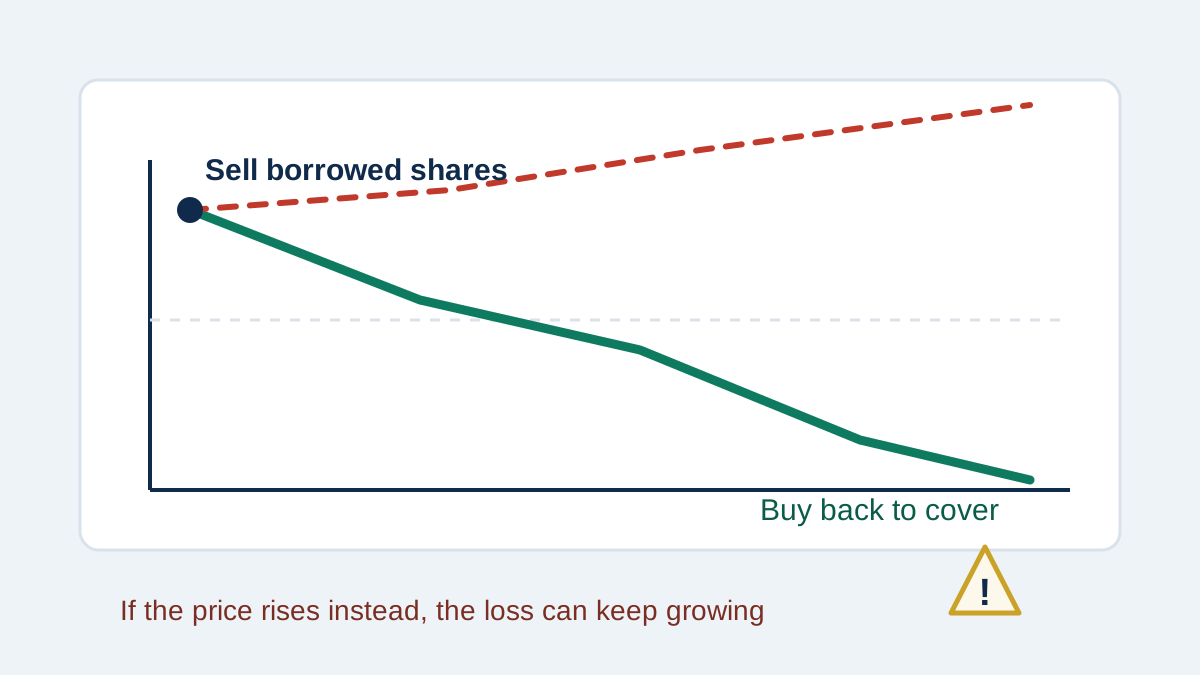
Short selling means borrowing shares, selling them, and hoping to buy them back for less. It needs a margin account, and losses can grow without limit.